
School club room changes: what to update before the session
A practical checklist for school club room changes, covering staff briefings, registers, family updates, arrival points, and end-of-session review.
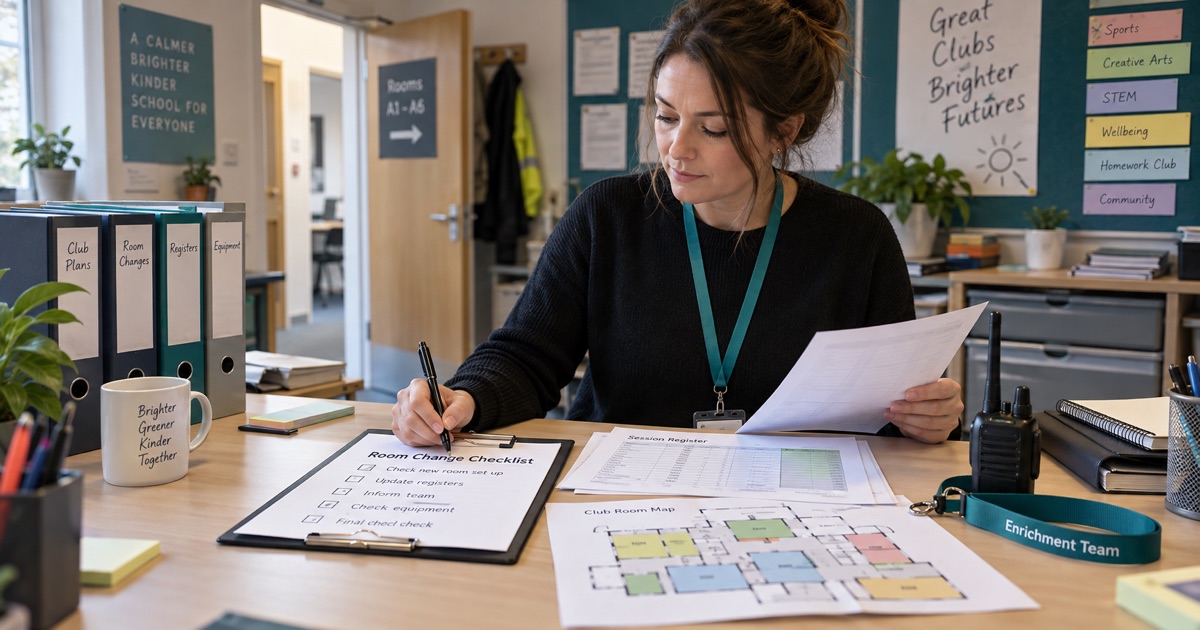
School club room changes can sound small until one register goes to the old room, one parent waits at the wrong door, or one member of staff misses the updated handover. The risk is not the new room itself. The risk is that the change sits in too many places.
Before the session starts, treat the room change as an operations update. One clear record should tell the team where the club is running, who has checked the register, what families need to know, and what still needs follow-up.
School club room changes checklist
Start with the room decision: old room, new room, reason for the move, date, session, and who approved it. Then update the staff rota or cover note so the adults on duty can see the change before they arrive. In Nexsteps, this sits naturally beside team scheduling because the room, people, and session plan should move together.
Next, check the register. The session list should show the new room or meeting point, not only the usual club location. If pupils are collected from classrooms, add the handover route. If pupils arrive independently, add the arrival point. The aim is simple: the adult holding the register should not need a separate message thread to know where to go.
What to update before families arrive
Families need the version of the change that affects them: where to drop off, where to collect, whether the pickup door has changed, and who to contact if they are late. Keep the wording short and specific. A room name is not enough if parents do not know the building or entrance.
This is where family communication needs to connect back to the session record. The message, recipient list, and time sent should be visible with the club session, so staff can see whether the update actually went out.
What staff should check at the new room
Before pupils arrive, the coordinator should confirm that the new room has enough space, the right equipment, a safe arrival route, and a clear pickup point. If the room move changes ratios, supervision zones, or access to medical notes, record that too.
The register still matters most. Use the changed room as a reason to check expected attendance, missing pupils, early collection notes, and any child-specific handover notes. A connected attendance workflow keeps the room update close to the live session record.
How Nexsteps reduces the admin risk
Nexsteps is built for connected operations around children's sessions. A school team can keep room changes, staff cover, registers, family updates, and safeguarding-aware notes in one workflow instead of spreading them across spreadsheets, email, and hallway reminders.
For school teams running regular clubs, the wider schools workflow helps coordinators move from last-minute admin to a repeatable pre-session check.
A simple review before the team leaves
After the session, spend two minutes checking what happened. Did anyone go to the old room? Did a parent miss the message? Did staff have the right register? Did the room create a new follow-up for next week? Capture the answer while it is still fresh.
If room changes happen often, book a walkthrough of Nexsteps and see how session planning, staff cover, attendance, and parent updates can stay connected. Start with the trial when you are ready to test it with one club workflow.